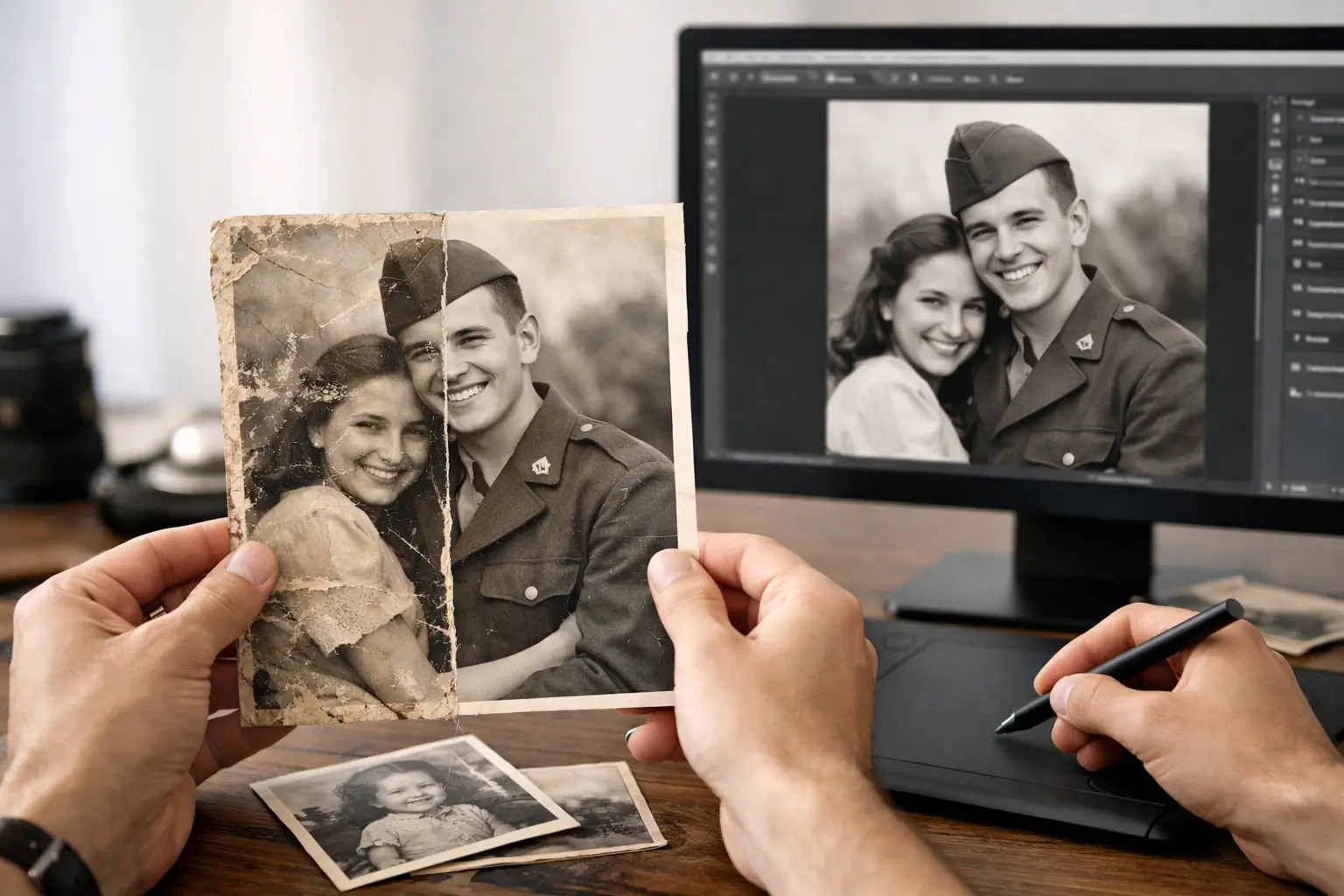
A faded wedding portrait, a torn school photo, or a stack of pictures stuck together in an old album can look beyond saving at first glance. Yet much of the memory is often still there. People often ask, “how does photo restoration work?” The answer is a careful combination of high-quality digitization, detailed image repair, and decisions that respect what made the original photograph meaningful in the first place.
Photo restoration is not about making an old image look artificially new. It is about renewing what time, handling, light, water, and storage conditions have taken away, while keeping the photograph true to the moment it captured.
How Does Photo Restoration Work?
The process begins by creating a strong digital copy of the original. A photograph may be faded, creased, scratched, or discolored, but scanning it at an appropriate resolution preserves the visual information that remains. That digital file becomes the working copy, so the physical print can be handled as little as possible.
From there, restoration is completed digitally. A restoration specialist studies the image closely, identifies the types of damage present, and repairs them in layers. Small dust spots and scratches may be removed first. Creases, tears, stains, missing corners, and color shifts require more detailed work.
The goal is not simply to remove every sign of age. Some marks are accidental damage, while others are part of the photograph's character. A good restoration makes thoughtful choices about what to correct and what to preserve.
Step One: Careful Digitization Protects the Original
A clear scan is the foundation of successful restoration. If the scan is too small, too dark, or poorly focused, there may not be enough detail to repair the image well. For many standard prints, a high-resolution scan captures fine features such as faces, clothing textures, handwriting, and background details that may matter to a family.
The original photo should be handled gently before scanning. Dust can be removed with appropriate tools, but fragile prints should not be aggressively wiped, flattened, or pulled apart. Photos that are curled, torn, mounted to cardboard, or stuck in aging albums can become more damaged when someone tries to force them loose.
This is one reason professional digitization can be especially helpful for family collections. The physical photograph is often as irreplaceable as the image itself. A digital backup provides security, but preserving the original print remains part of the responsibility.
Step Two: Damage Is Evaluated Before It Is Repaired
Every old photo tells a slightly different technical story. Sunlight may leave a print washed out and yellow. A basement flood may create water stains and mildew marks. A photo kept loose in a drawer may have fingerprints, scratches, bent edges, and tape residue.
Before making edits, a restoration specialist evaluates which problems can be corrected without changing important details. Common issues include faded contrast, color casts, surface scratches, cracks, dust, stains, tears, missing areas, and red-eye in newer prints.
Some damage is easier to repair than others. A small scratch crossing a plain blue sky can usually be corrected with little difficulty. A deep crease running through a person's eye, smile, or hand requires much more care because the missing detail has to be reconstructed based on nearby information. When a large part of a photograph is gone, restoration can improve its appearance, but it cannot guarantee a perfect recovery of details that were never captured in the surviving print.
That honesty matters. Restoration should set realistic expectations while still pursuing the best possible result.
Step Three: Digital Repair Rebuilds the Image Gradually
Most restoration work is done in stages rather than with one automatic adjustment. Software can help remove broad color casts or improve overall exposure, but meaningful family photographs deserve a closer review.
A specialist may first correct fading so faces and clothing are easier to see. They can adjust brightness, contrast, shadows, and highlights to bring back separation between light and dark areas. Color correction can reduce yellowing or the magenta, green, or blue shifts that often appear in older prints.
Next comes retouching. Small spots, scratches, and stains can be removed by sampling nearby textures and tones. Tears and cracks are repaired by aligning separated areas and rebuilding interrupted details. If a portion of a background is missing, it may be recreated from surrounding areas. Fine work often happens at high magnification, one small section at a time.
For black-and-white photographs, the emphasis is usually on tonal balance, clarity, and preserving the natural look of the original print. For color photos, the challenge is often restoring believable skin tones without making the image look overly saturated or modernized.
What Restoration Can and Cannot Do
Photo restoration can make a remarkable difference, but it works within the limits of the original material. A faded face can often become recognizable again. Stains can be reduced. A torn edge can be rebuilt. A dull image may regain contrast and detail.
However, restoration cannot reliably recover information that has been completely destroyed. If a person's face is missing from a print, no one can know every original feature with certainty. If mold, water, or severe sun exposure has erased detail across a large area, the result may be an improvement rather than a full return to the photo's former condition.
There is also a difference between restoration and alteration. Removing a scratch is restoration. Changing a person's appearance, adding objects that were never there, or turning a black-and-white family photo into a highly stylized color image is a separate creative choice. Some families want colorization for a special project, while others prefer to keep historic images close to their original form. Neither preference is wrong, but the decision should be intentional.
Why Automated Fixes Are Not Always Enough
Phone apps and online tools can brighten an image or apply a quick “enhance” filter. They can be useful for casual snapshots, especially when the original is already in good condition. But automatic tools do not understand family history, facial features, or the difference between a real detail and damage.
An automated setting may sharpen grain until it looks harsh, erase a beauty mark that belongs to the person in the photo, or push colors beyond what is believable. It can also miss more complex problems, such as a crease through a face or discoloration that affects only one part of the image.
For a photograph with real sentimental or historical value, individual attention is usually worth it. The right approach depends on the condition of the print, how the restored image will be used, and how faithful the family wants the final result to be.
The Restored File Is Part of Long-Term Preservation
Once the image has been restored, it should be saved in a high-quality master format as well as an easy-to-share version. The master file is the preservation copy, kept with minimal compression and stored safely. Smaller copies are useful for texting relatives, posting to a private family group, creating a slideshow, or ordering new prints.
A restored digital photo is most valuable when it can be found later. Naming files consistently and adding basic details such as names, dates, locations, or event descriptions can turn an unmarked box of images into a usable family archive. Even partial information helps. “Grandma Rose, Ventura County, around 1955” is far more useful than “scan_0042.”
It is wise to keep copies in more than one place. A computer, an external drive, and a secure backup system give your family better protection if a device fails, a home is damaged, or an original print continues to deteriorate.
When to Consider Professional Restoration
Professional help is especially valuable when you have fragile originals, extensive damage, a large collection to organize, or one meaningful photo you do not want to risk handling yourself. Estate projects, memorial displays, milestone birthdays, and family-history projects often bring these images out of storage for the first time in decades.
For families in Ventura County, Photo Renew Labs approaches this work as preservation rather than simple image cleanup. The focus is on creating accessible digital files while treating every original as a record that deserves care.
A restored photograph can become more than a repaired file. It can give a grandchild a clear view of a relative they never met, return a favorite portrait to a family album, or make it possible to share a memory that had been fading quietly in a box. Start with the photos that matter most, and give those memories a safer future.